Completing Identity Verification (KYC) on Bitfinex: From Sign-Up to Intermediate Verification Approval
Bitfinex requires Intermediate verification for lending (Funding). This article walks through account registration, setting up two-factor authentication, and submitting verification documents, with notes and FAQs for users in Taiwan.

Bitfinex requires Intermediate verification for the Funding feature. This article walks step-by-step through account registration, setting up two-factor authentication, and submitting the documents needed for Intermediate verification. Notes and frequently asked questions for users in Taiwan are summarized at the end. Once approved, you can proceed to set up the API authorization required by Kindo.
Bitfinex Verification Levels and the Lending Threshold
Bitfinex accounts are divided into four verification levels:
| Level | Available Features | Lending |
|---|---|---|
| Basic Access | View only | Not supported |
| Basic Plus | Crypto deposits/withdrawals, spot trading | Not supported |
| Intermediate | Adds: Funding (lending), fiat-related features | Required for this level |
| Full (Advanced) | Higher limits, more features | Supported (not required) |
Per Bitfinex policy, accounts opened after March 2022 require Intermediate verification to enable Funding, with no exceptions. Full verification is only needed for users who want to wire fiat directly into Bitfinex; it is not required for Funding users.
Documents to Prepare Before Submission
Personal Identification (Two Documents)
- Photo of the front and back of your ID card (required)
- Either your National Health Insurance (NHI) card or passport (take a clear, legible photo with your phone; for passports, photograph the photo page)
Proof of Address (Issued Within 90 Days, One Document)
- An official document issued by a government agency, showing your name and residential address
- Chinese is acceptable; no English translation required
- Acceptable documents: utility bills, national health/labor insurance notices, land value tax statements, household registration transcript (electronic version accepted)
Facial Selfie Verification
Prepare a well-lit environment and follow the on-screen instructions.
Before verifying, please make sure:
- The address you enter matches your proof of address exactly
- The document's issue date is within the last 90 days
Stage One: Account Registration and Two-Factor Authentication Setup
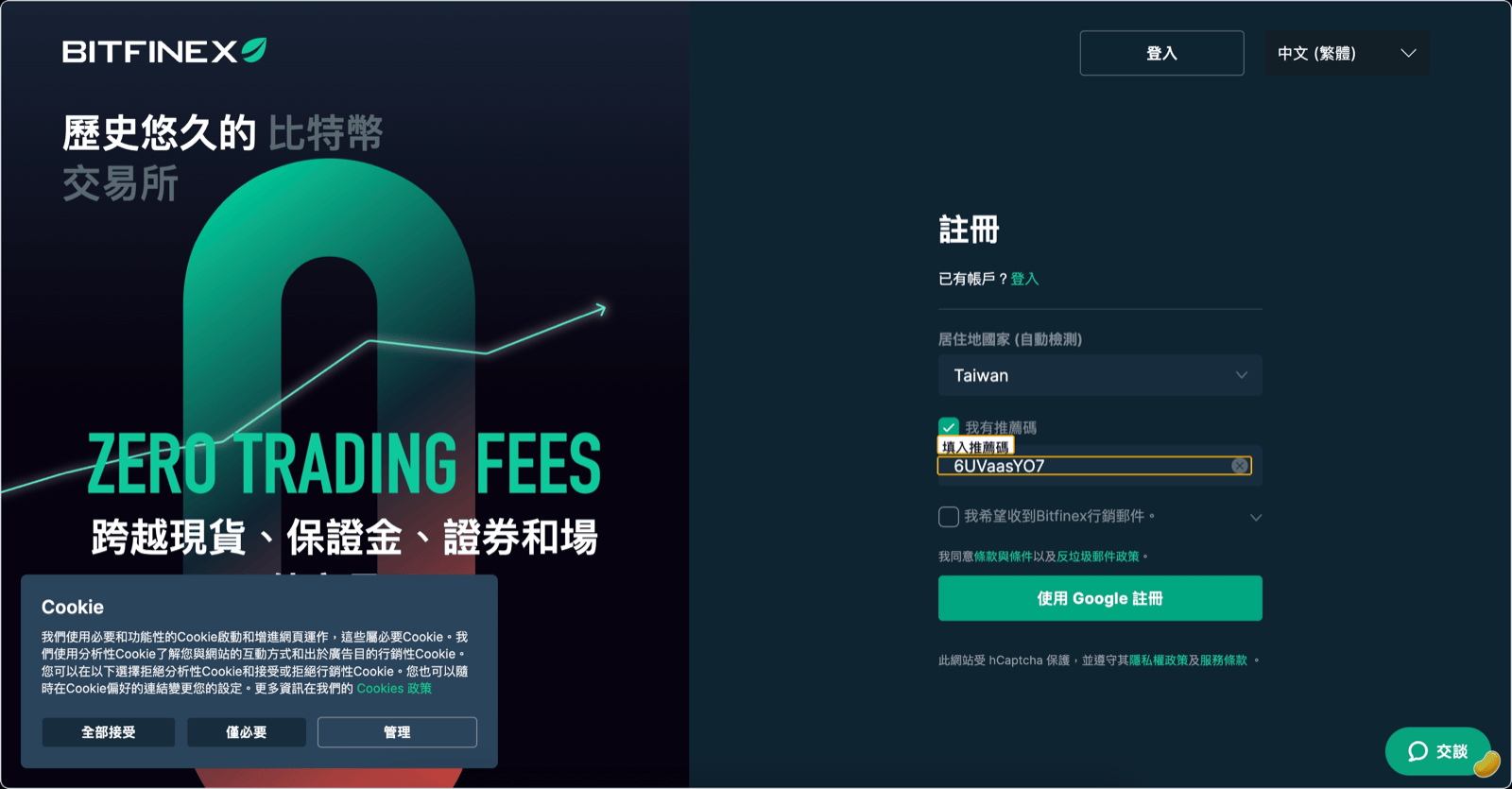
Go to the Bitfinex website or download the Bitfinex app, and fill in your email, username, password, and country of residence; if you have a referral code, enter it as well.
Don't have a Bitfinex account yet? Sign up using this link →, and the referral code will be applied automatically.
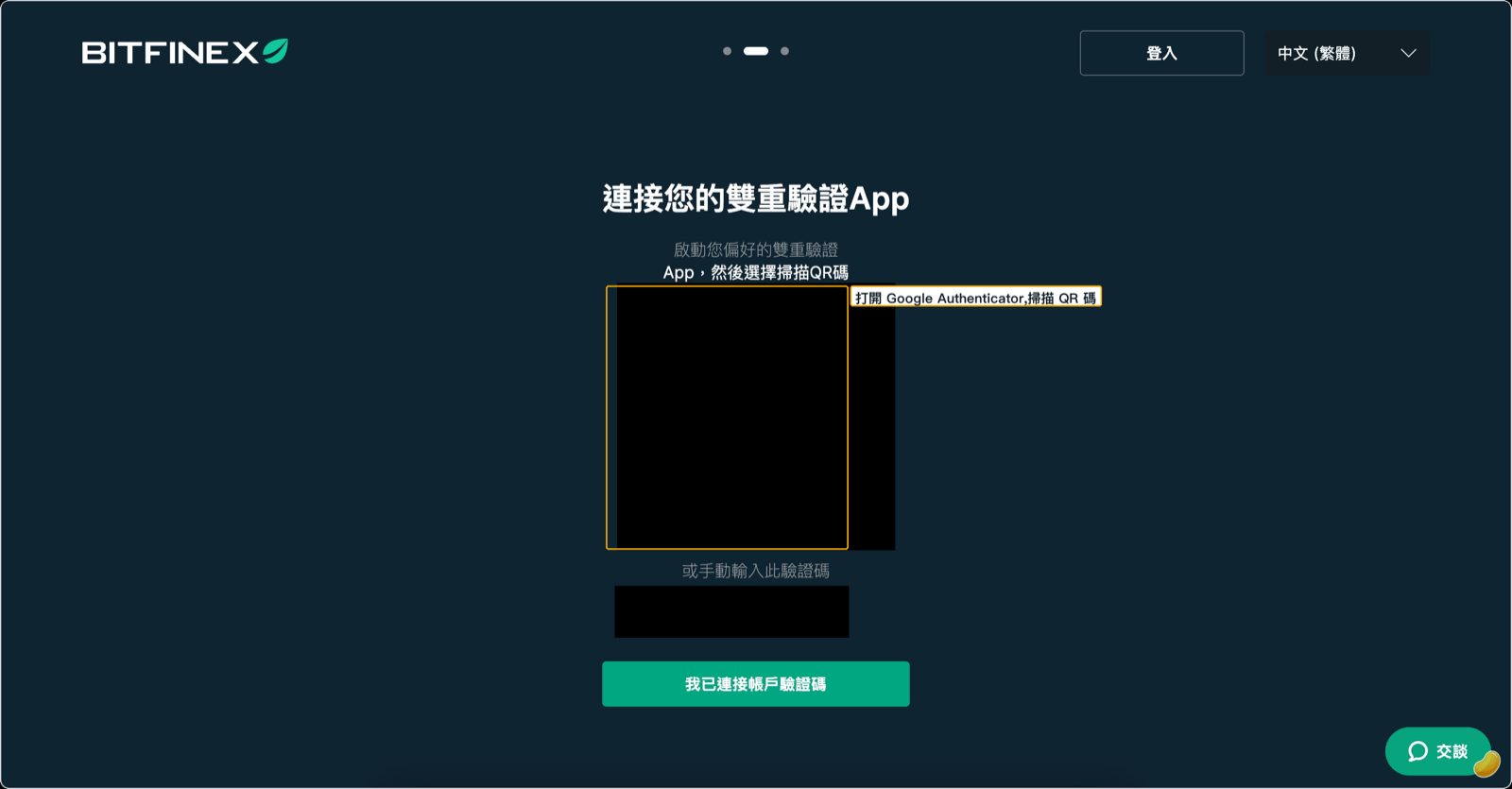
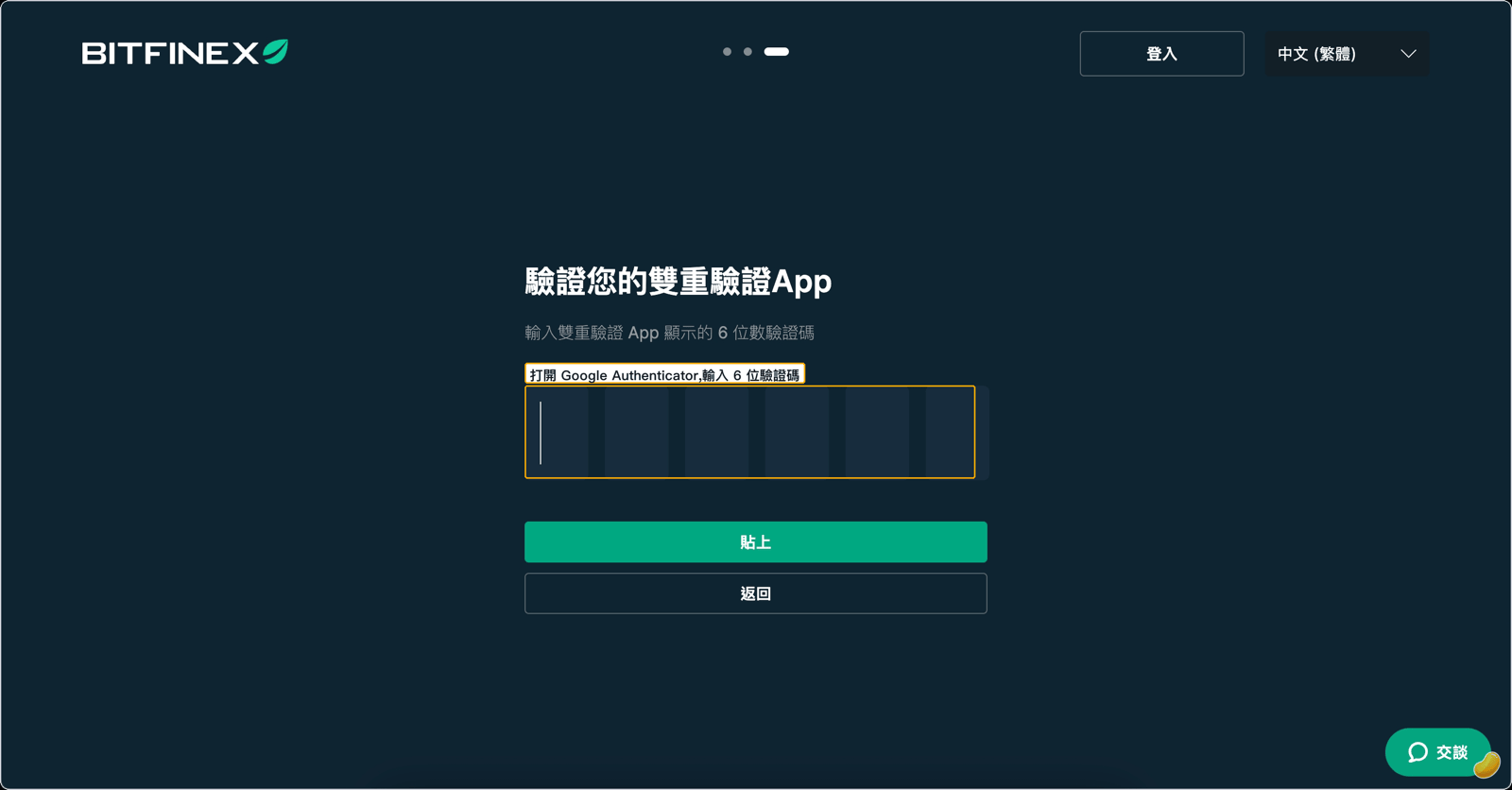
After completing the form, proceed to set up two-factor authentication (2FA). Open Google Authenticator, tap "+" to scan the QR code shown on screen (or paste the key), enter the resulting 6-digit code back into Bitfinex, then tap "Enable 2FA."
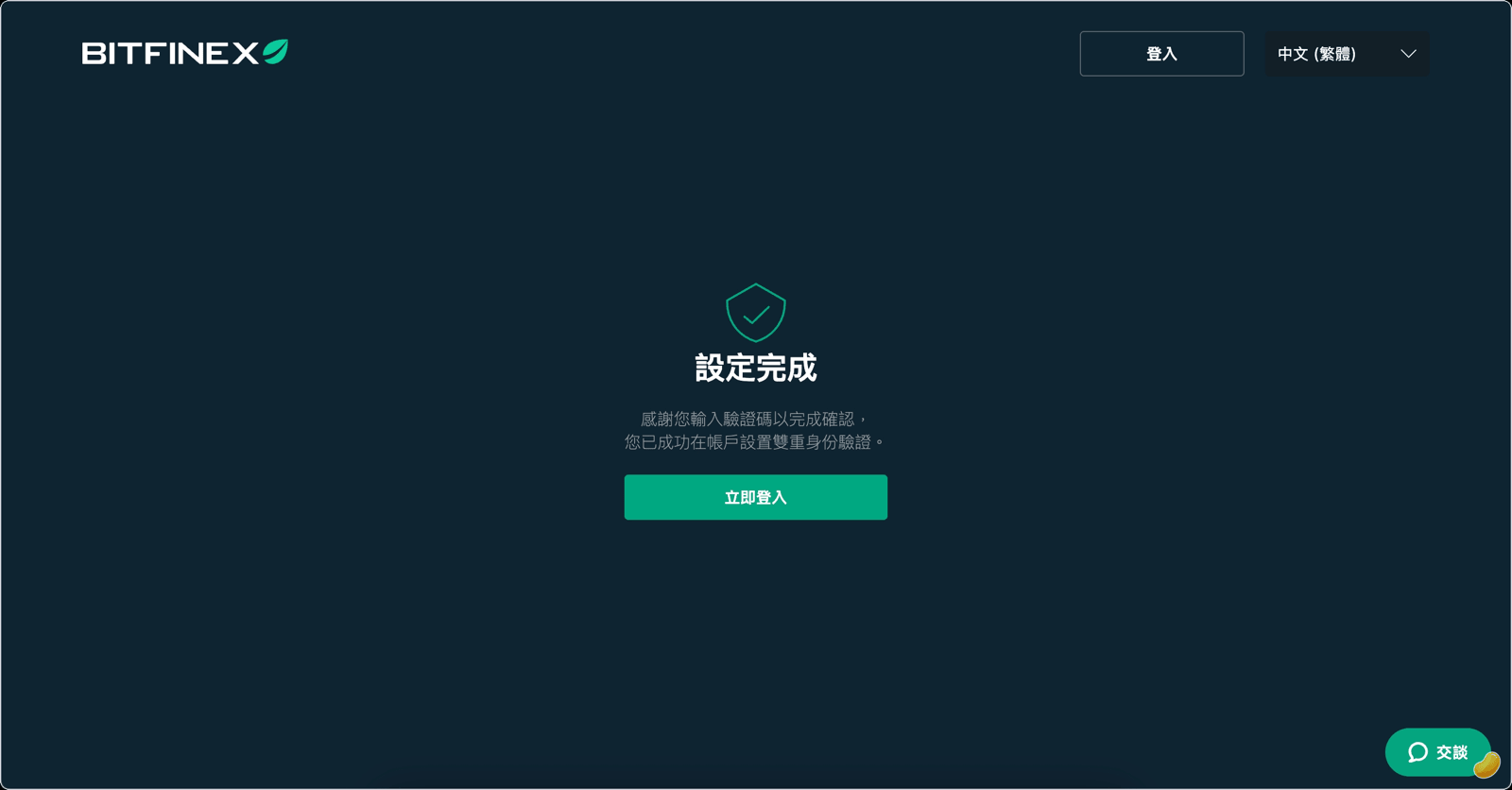
Once done, retrieve the confirmation email from Bitfinex and click the link to complete account creation.
For future logins, after entering your username and password, you'll also need to enter the 6-digit code from Google Authenticator.
Stage Two: Submitting Intermediate Verification Documents
Bitfinex currently supports going directly to Intermediate verification, without needing to complete Basic verification first and upgrade level by level.
After logging in, click "Verification" to enter the verification center.
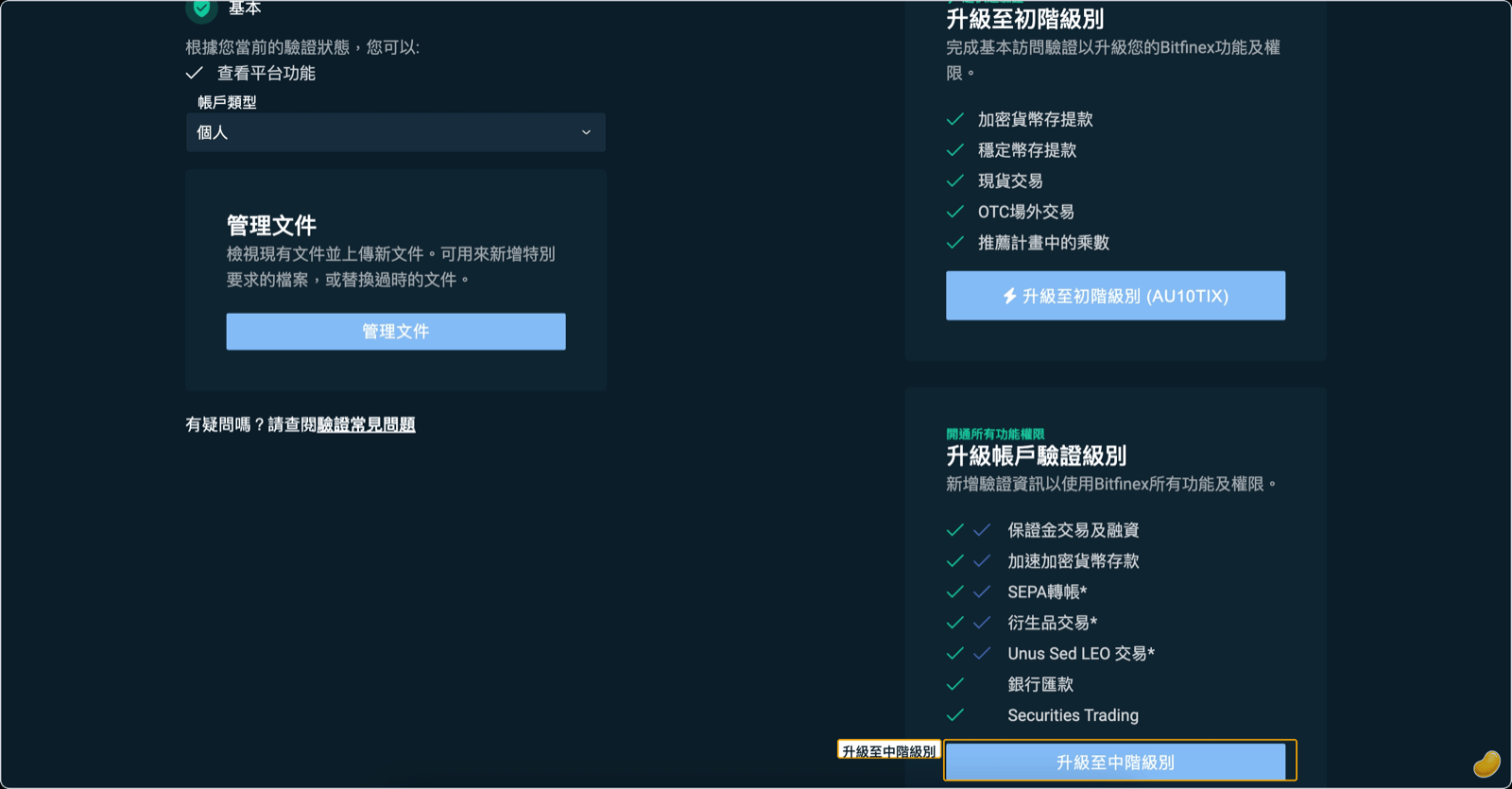
Choose to upgrade to Intermediate level.
Upload two government-issued documents. The first is the front and back of your ID card (must be valid, government-issued, high resolution, with all four corners visible; it's recommended to photograph it holding your phone horizontally). The second is your NHI card (select the "Other Proof of Identity Document" category) or the photo page of your passport.
Taiwan ID cards have no expiration date, so enter Not Applicable in the validity field.
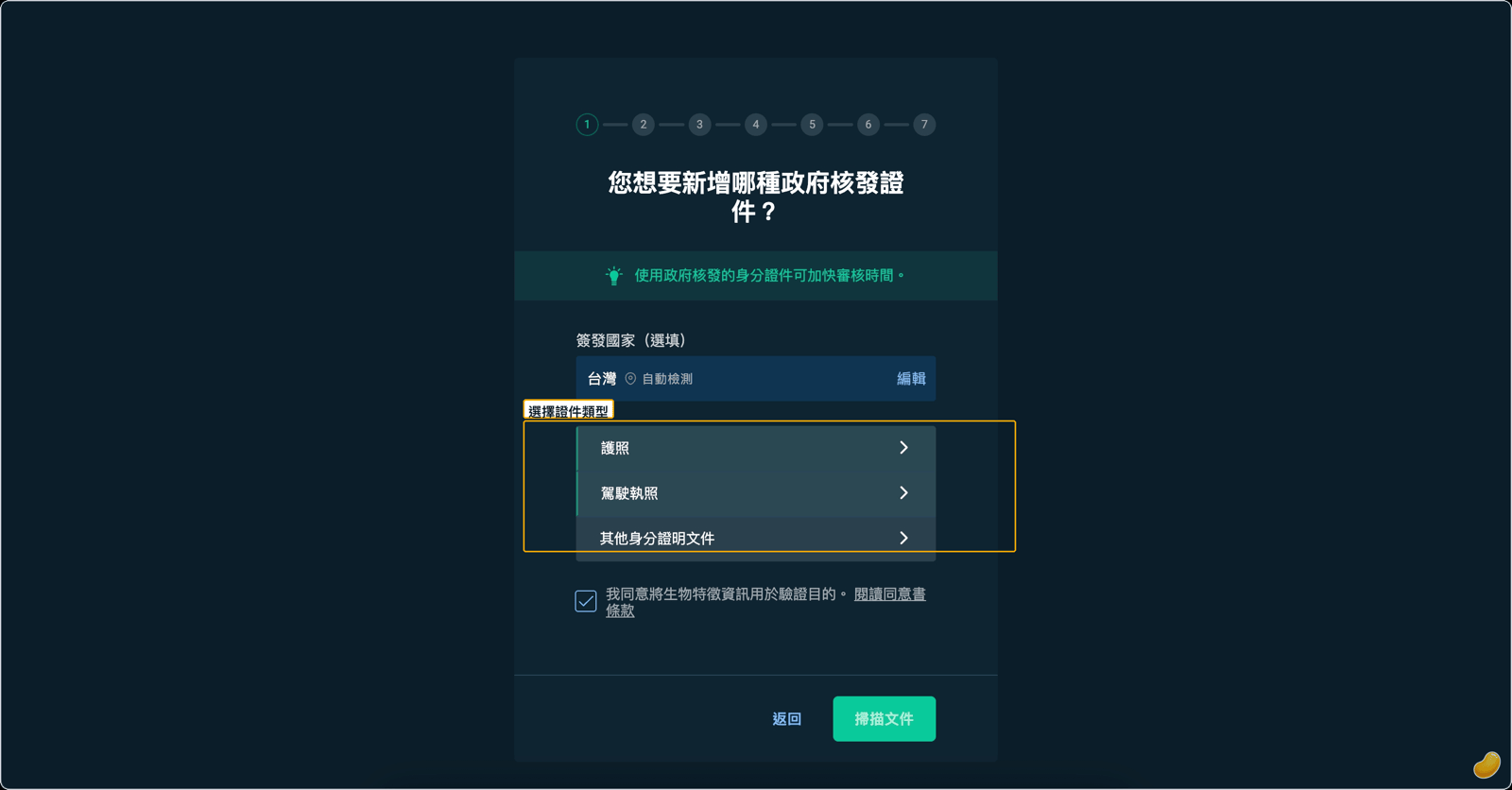
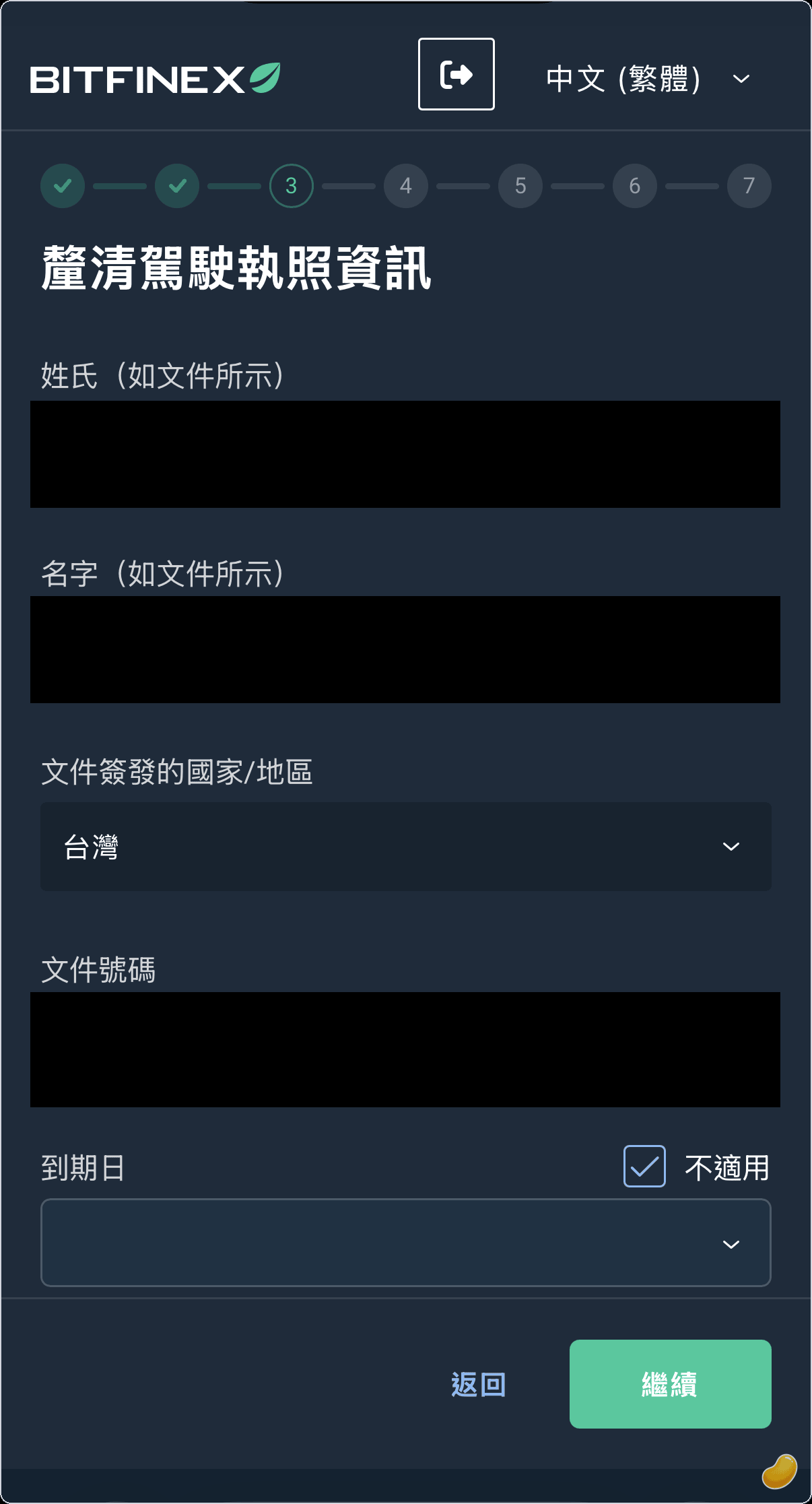
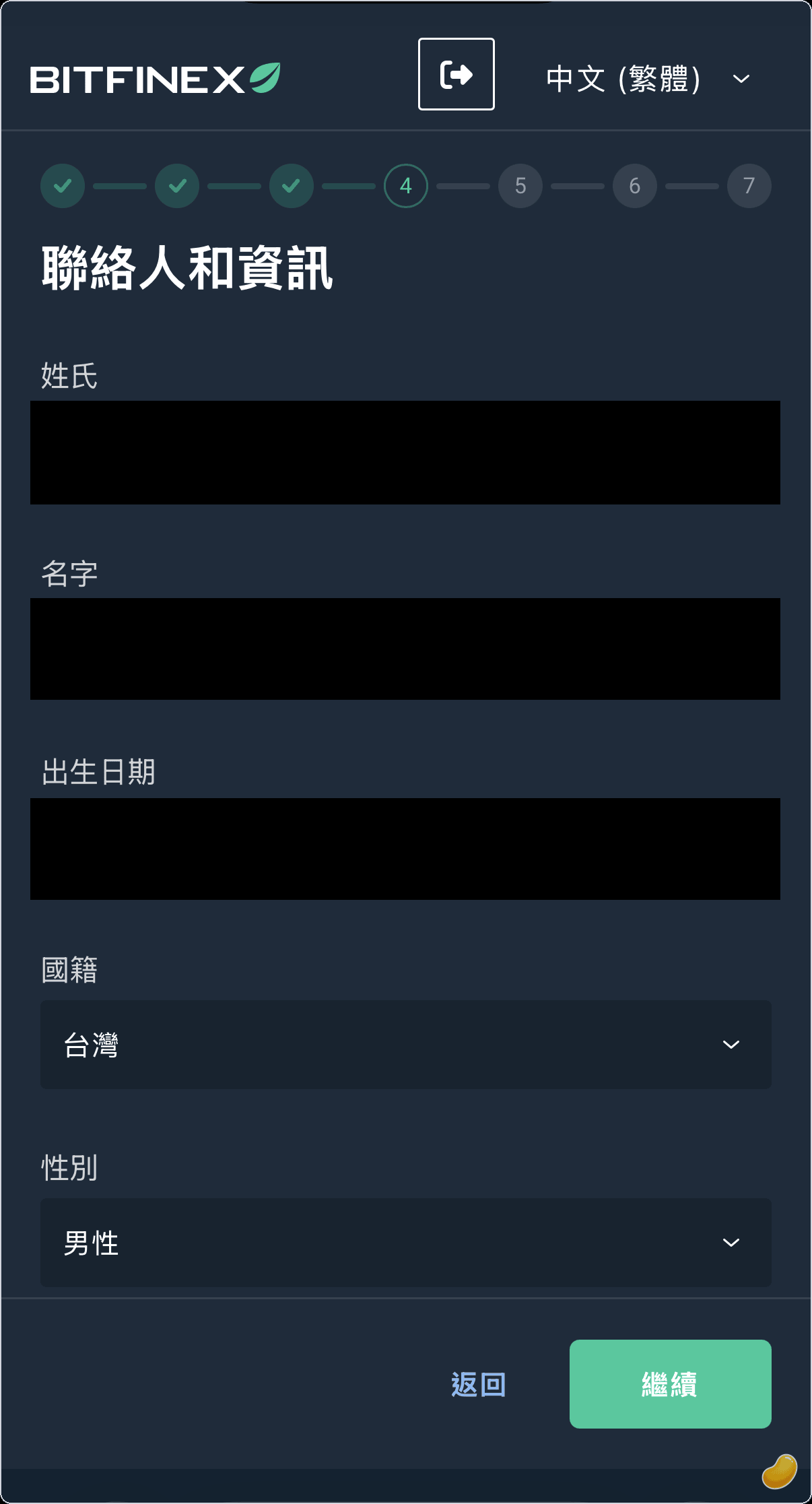
Fill in your personal information in order, including name, date of birth, address, and phone number.
Complete the facial selfie verification (follow the on-screen instructions). No screenshot is provided for this step.
Upload your proof of address (issued within 90 days, showing your name and residential address; Chinese is acceptable, no English translation needed; all four corners must be visible).
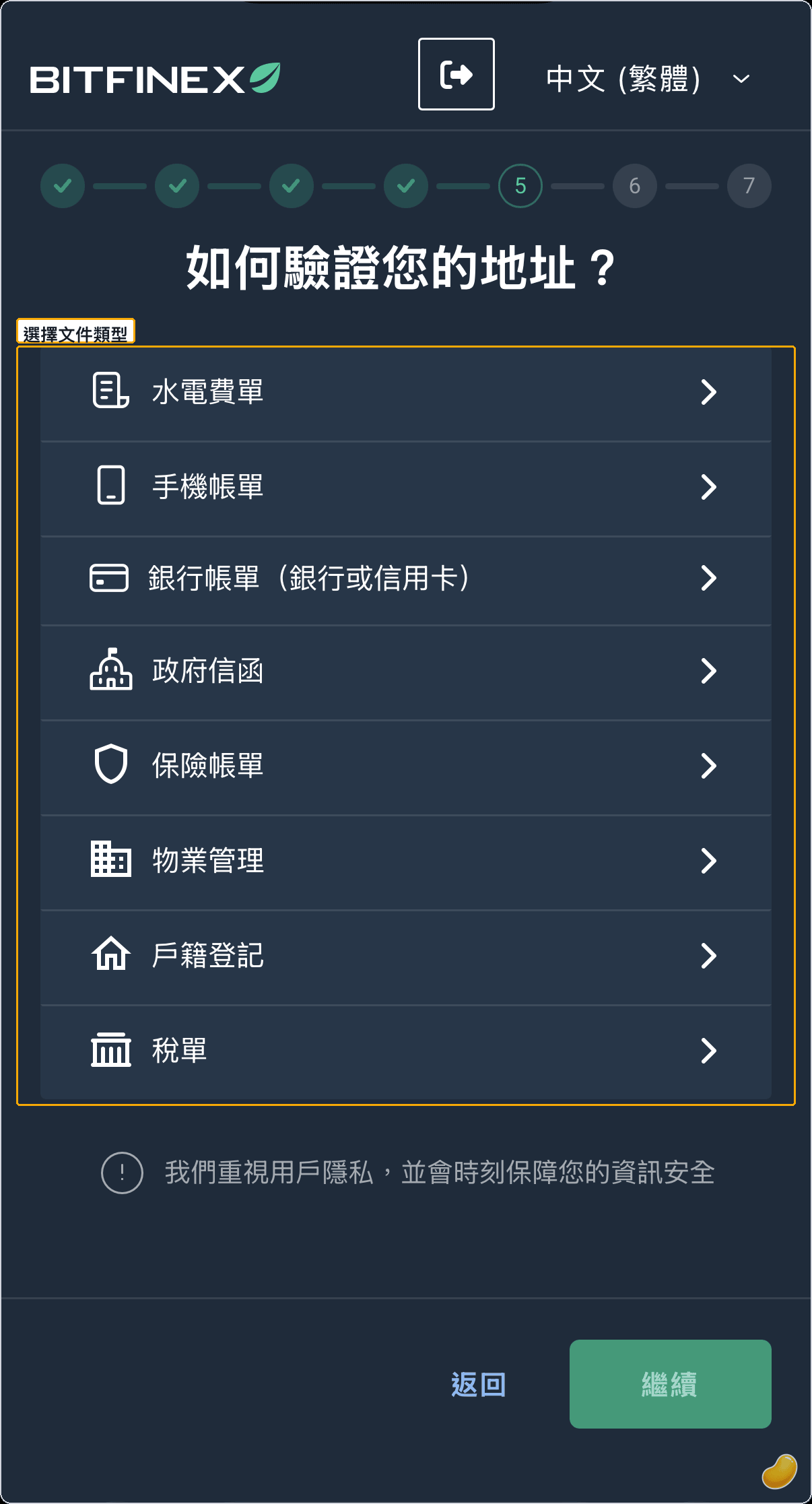
Read through and complete the address verification step, then submit. Review typically takes a few business days, though it may take up to about a month during peak periods (refer to official Bitfinex information). You will receive an email notification once approved. Please do not resubmit while your application is under review.
Notes for Users in Taiwan
- Taiwan is not restricted by Bitfinex, so verification and lending can be completed normally.
- Enter Not Applicable in the ID validity field.
- Proof of address can be in Chinese; no English translation is required.
Frequently Asked Questions
How long does review take?
Usually a few business days, though it may take up to about a month during peak periods (refer to official Bitfinex information).
What if my application is rejected?
The most common reasons are an address mismatch or a document older than 90 days. Bitfinex will send an email explaining the reason for rejection. After preparing the correct documents, reply to that review email with the corrected documents attached and request re-review, rather than resubmitting from scratch.
Is Intermediate verification always required for Funding?
Yes. Per Bitfinex policy, the Funding feature requires Intermediate verification. There are no exceptions for accounts opened after March 2022.
Is KYC safe?
This is a standard regulatory process required by the exchange. Kindo itself does not perform KYC or collect any identity documents—documents are submitted to Bitfinex only.
Once KYC is approved, the next step is setting up your Funding wallet and API key, and authorizing Kindo to manage your lending.
Disclaimer: This article is for informational purposes only and does not constitute investment, financial, or tax advice, nor is it a solicitation. Cryptocurrency and lending involve risk; returns fluctuate and are not guaranteed, and principal may be lost. Lending rates are determined by market supply and demand, and past performance does not indicate future results. Please assess risk on your own; consult a professional for tax matters.